
Receipt-Based Budgeting
Scan your receipts as you shop and let Essential Budget build your budget from them, with the rhythm and the amount taken from your own purchases and the months you already paid for filled in.
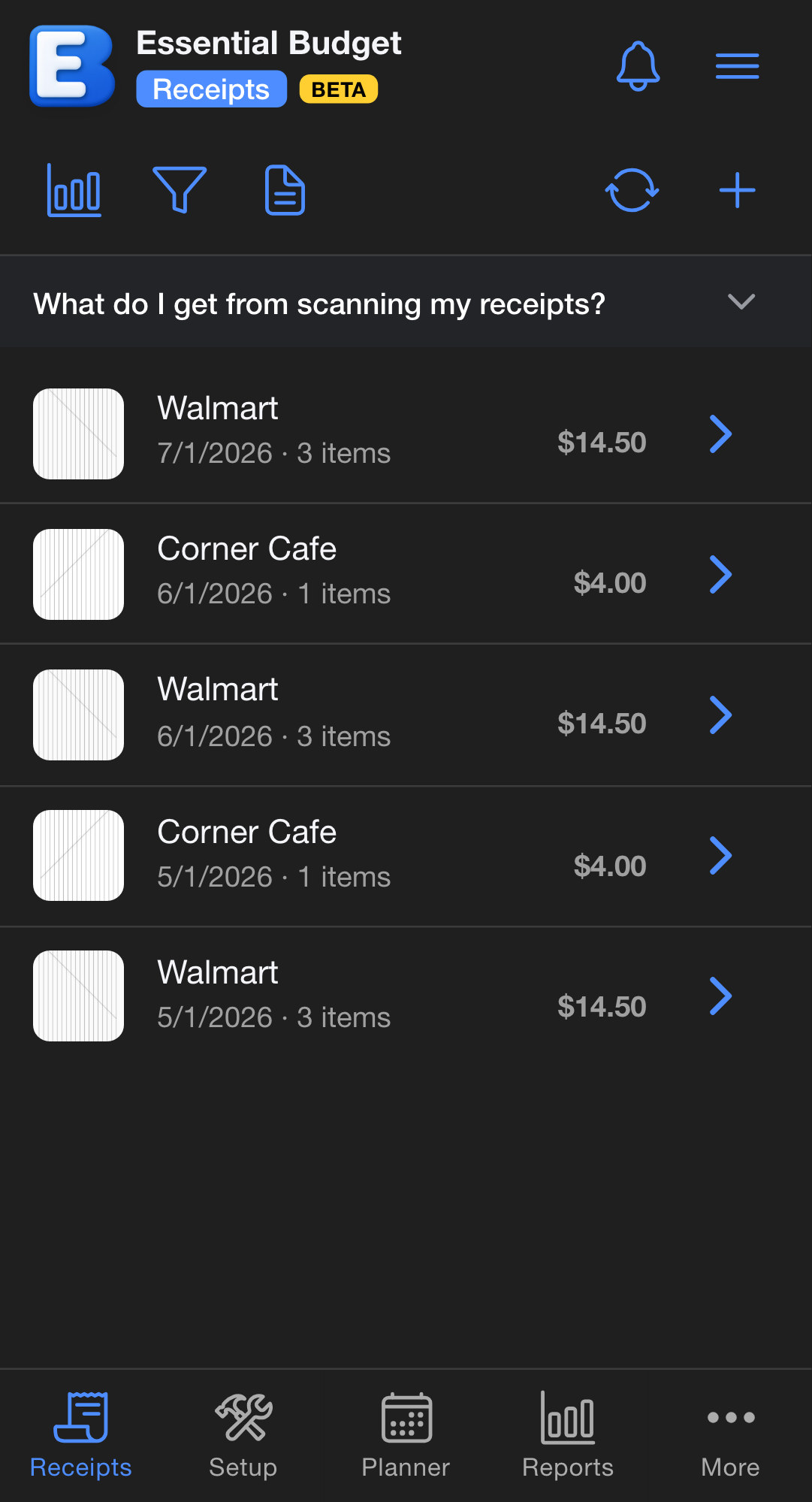
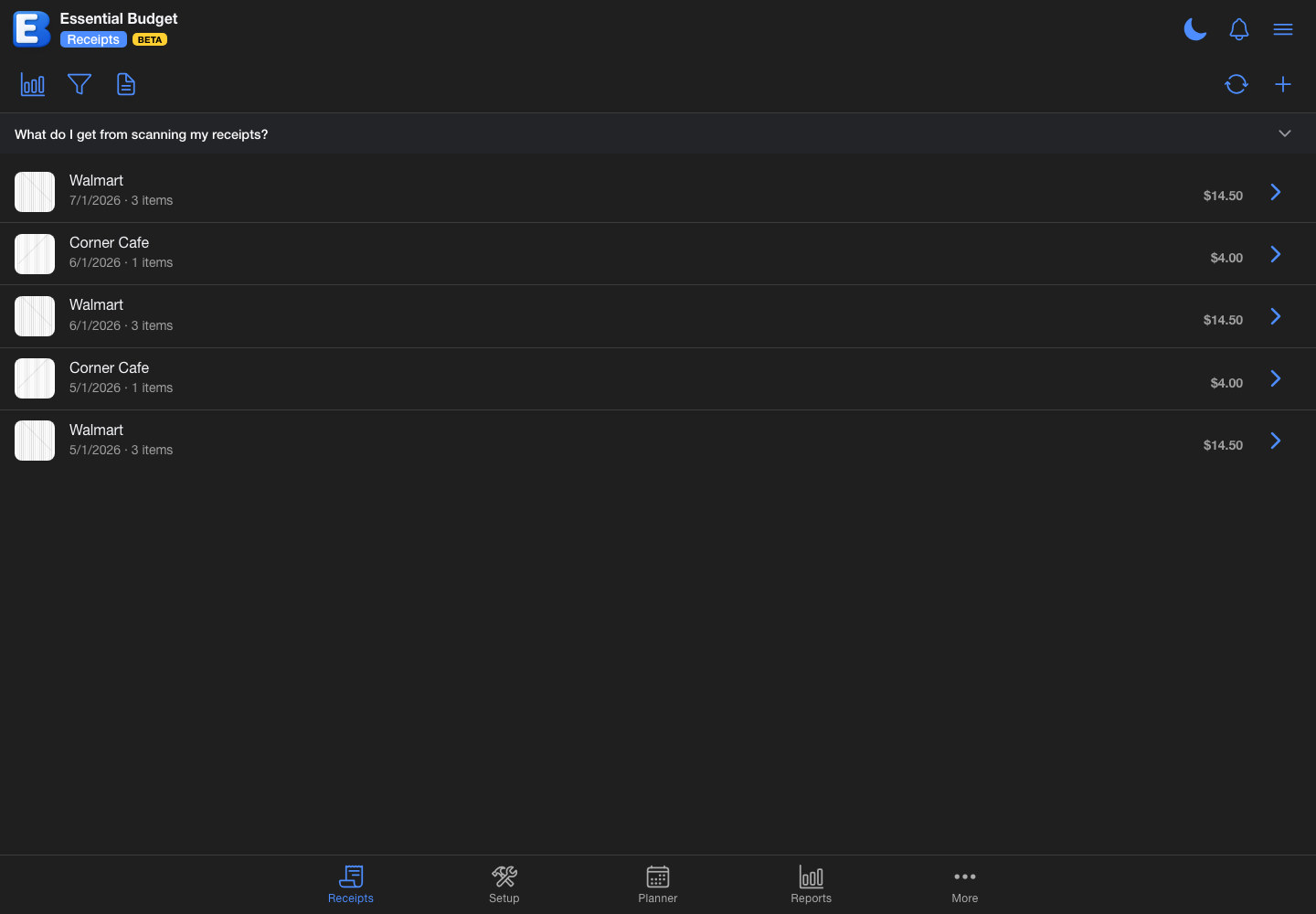
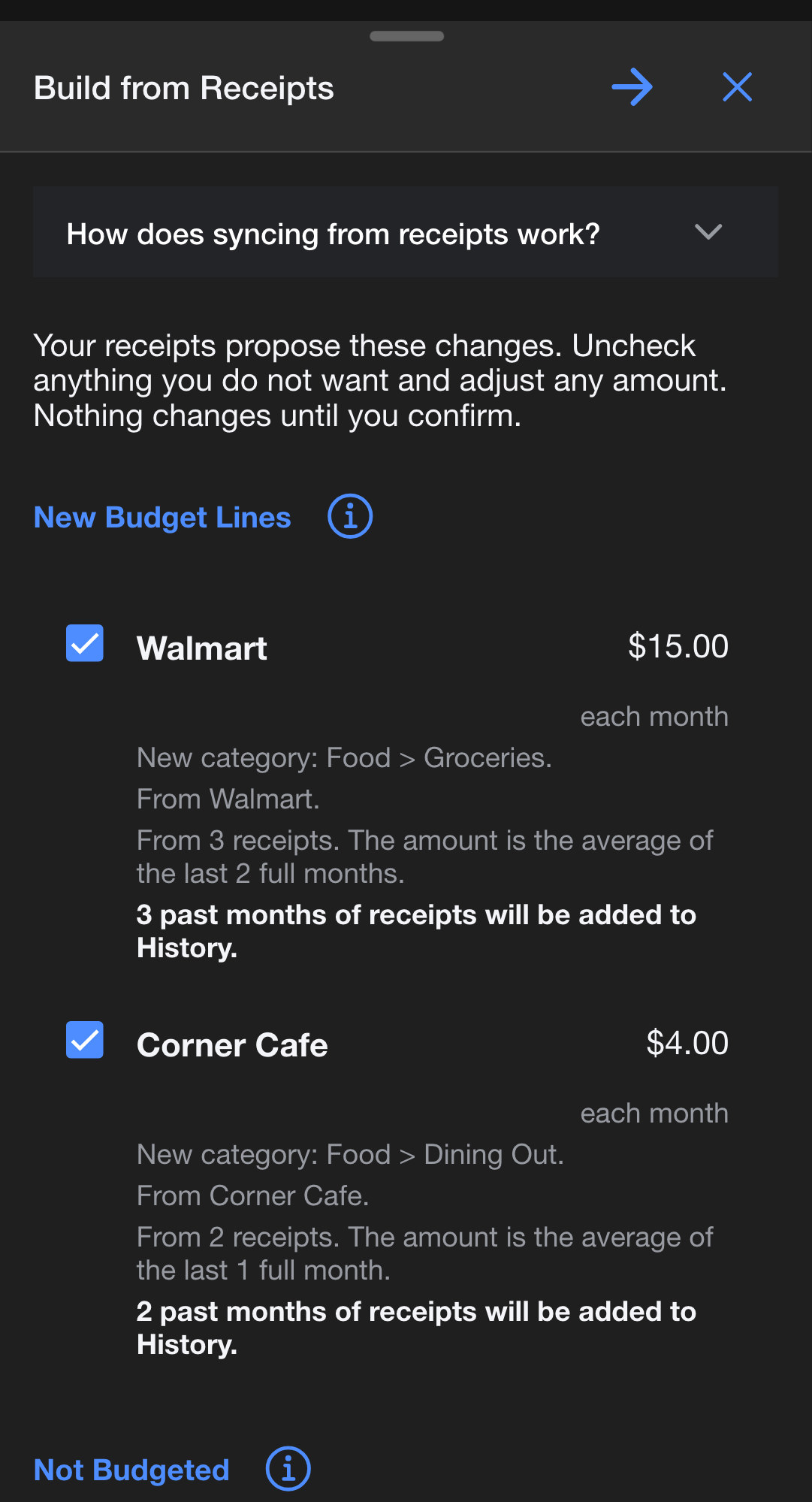
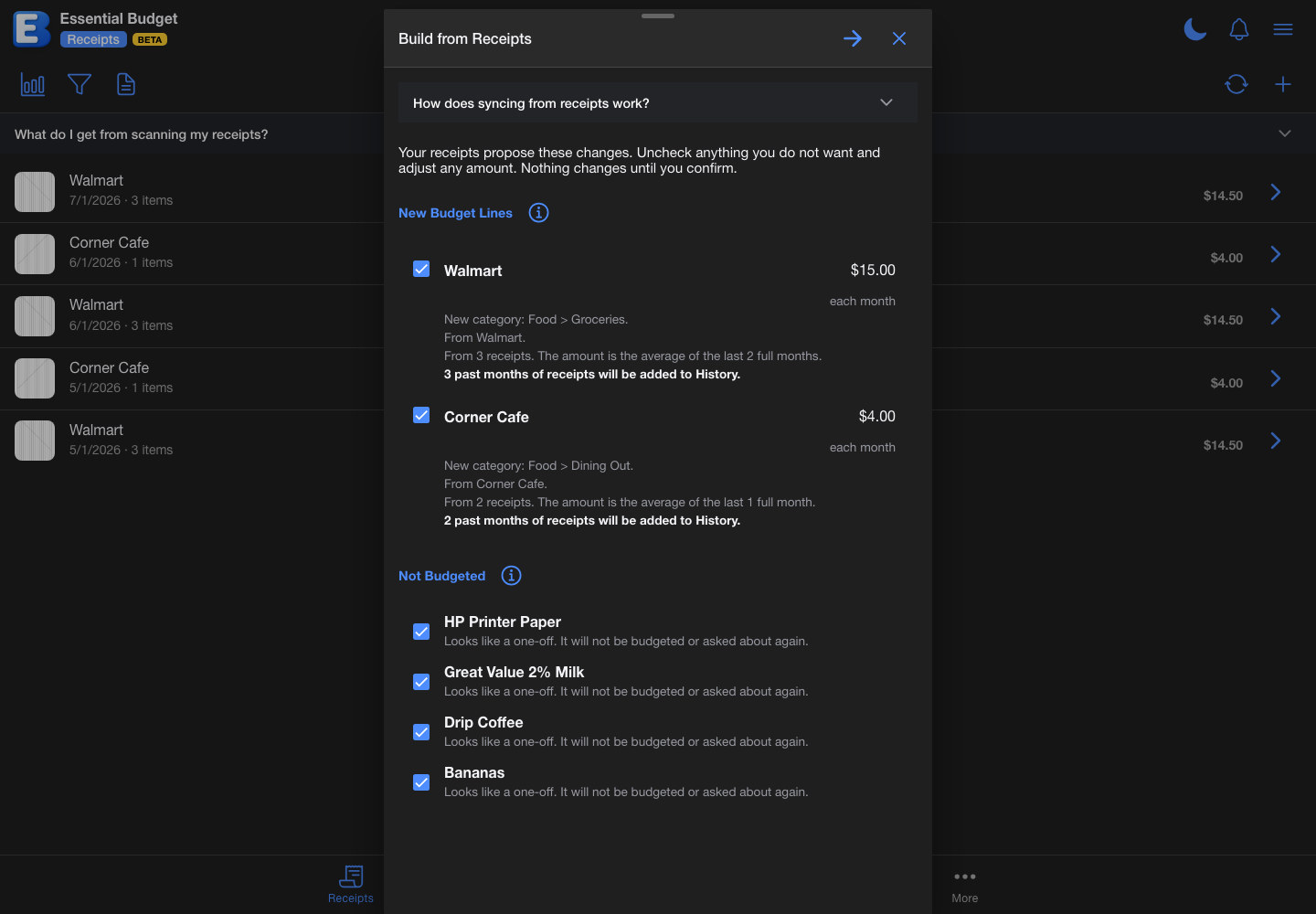
Every proposed amount shows what it was calculated from, and nothing is created until you confirm.
Key Benefits
- Start With Receipts, Not a Blank Budget
New accounts are asked how they want to begin. Choose to start by capturing receipts and the app creates a budget for them, opens straight to the Receipts tab, and puts scanning first. No bank connection and no setup questionnaire stand in the way. - One Button, Whenever You Want It
There is no waiting period and no unlock. One receipt is enough to start: tap Sync and the app proposes budget lines for the stores and products your receipts show. Tap it again later and it proposes what changed. It suggests; you decide. - The Rhythm And The Amount Come From Your Own Spending
Each proposed line carries how often it repeats, from weekly to yearly, and an amount calculated from what you actually paid over the last periods of that same rhythm. Every row says what fed the number, such as "From 3 receipts. The amount is the average of the last 2 full months." - Your Past Months Get Filled In
Receipts are proof of money already spent, so building also backdates each new line and files the past periods your receipts cover into your history, with what you actually paid. Your account balance is left exactly where it is. - You Approve Every Line
The review lists each suggestion with a checkbox and an editable amount, groups them by what confirming them does, and shows where each line will live in your budget. Choose which account the amounts are paid from, and nothing is created until you confirm. - It Learns As It Goes
Every decision you confirm is remembered, so a store the app has already placed is never worked out again. A sync with nothing new costs nothing, and syncing stays cheap as your receipt pile grows. - Scan Free, Build With Premium
Every account includes 10 free receipt scans, and the grocery insights and price reports built from them stay free for everyone. Building and updating a budget from your receipts is part of Premium.